

CSS Fundamentals
CSS Fundamentals is a free, interactive course that takes learners from the basics of styling a web page to the layout skills they need for a real project. It is built as a single, open layout where you can play with each CSS concept, see the result straight away, and move at your own pace.
Many students can write HTML long before they can make it look the way they want. The gap is usually CSS: why a box is bigger than expected, why an element will not sit where it should, or why a page breaks on a phone. This course tackles those problems one topic at a time, in the order you are most likely to meet them.
Ten topics, in a sensible order
The course is split into ten numbered topics, with a progress bar along the top so you always know how far through you are. Each one builds on the last: you learn how a single box behaves before you arrange many boxes, and you learn layout before you make it respond to different screens.
# | Topic | What it helps you understand |
|---|---|---|
1 | Box Model | How content, padding, border and margin add up to the size of every element |
2 | Display & Flow | Why some elements sit side by side and others stack, and how to change that |
3 | Positioning | Relative, absolute, fixed and sticky elements, and how they leave the normal flow |
4 | Flexbox | Lining items up in a row or column, spacing them and centring them |
5 | CSS Grid | Building two-dimensional page layouts with rows and columns |
6 | Typography | Fonts, sizes, line height and spacing that make text readable |
7 | Colours & Backgrounds | Colour values, contrast, gradients and background images |
8 | Transitions & Animations | Adding movement and feedback without JavaScript |
9 | Responsive Design | Making one page work on a phone, tablet and desktop |
10 | Modals & Overlays | Pop-up panels and layered content, common on transactional sites |
Learn by playing, not by memorising
The course is designed to be explored rather than read from top to bottom. You can jump to any topic using the tabs, try out the properties for yourself, and see what changes. That matters because CSS is easier to learn by seeing cause and effect than by reading definitions.
The design is clean and modern, with large, clear tabs that work well on a laptop or a tablet. There is nothing to install and no account to create. It is free to use, so it suits a classroom, a homework task or a learner teaching themselves at home.
The Confidence Check-in: know your gaps before you build
The course ends with an honest self-assessment rather than a test. Before starting your own website, you rate each of the ten topics on a slider from 0 (“I’ve never really used this”) to 10 (“I could teach this to someone else”). You also think about how likely you are to actually use each one in your project.
It is not marked. Its job is to show you what is worth revising before you rely on it. As you move the sliders, a summary works out your average confidence and flags any topic scoring 4 or below, so weak spots stand out straight away.
Your ratings stay in your own browser, so you can come back and update them as your skills grow. This is a small feature with a big payoff. Students who start a project knowing that, say, Grid or Responsive Design is their weak point can revise it first, instead of discovering the gap halfway through a build.
Who it is for
The course suits anyone who knows some HTML and wants to style it properly, from GCSE students to those working at A level. Beginners can start at Topic 1 and work through in order; more confident learners can dip into the topics they find hardest.
At AS level, learners investigate, design and build a transactional website, so layout, responsive design and features such as modals are directly useful. At A2, the same skills support students who choose a web-based route for their Unit 4 digital solution. The topics also cover the vocabulary students need to explain their design choices in documentation and evaluations.
Getting started
You can try the course now at adammasters.com/AlevelDT/css. A few ways to get the most from it:
- Students: do the Confidence Check-in first as well as last, then compare your scores to see how far you have come.
- Teachers: set one topic per lesson as a starter, or use the check-in results to group students for targeted revision before project work begins.
- Self-taught learners: keep a small practice page open alongside the course and copy each property into your own code as you go.
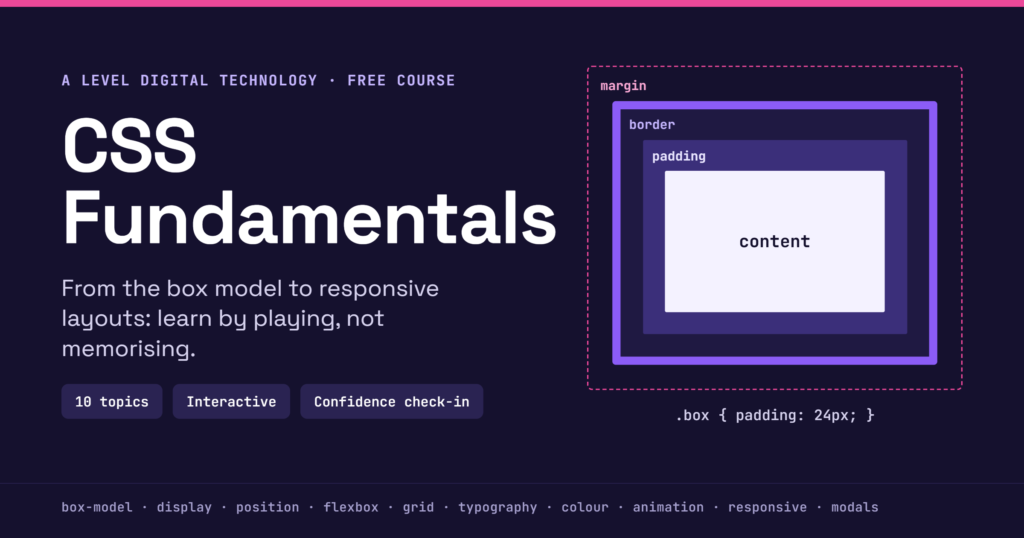
CSS making you want to throw your laptop? 💻💥 I built a free interactive course where you learn by playing, not reading. Flexbox, Grid, animations, responsive design and more. No sign-up. Just start breaking things 👇 https://t.co/z2MgXqAr9C #CSS #100DaysOfCode https://t.co/zriJHUwjbj
— Mr Adam Masters (@MrAdamMasters) October 19, 2026
Looking for something else?
Have an idea to add?
